Blog
How to show coding agents what is on your screen: capturing, marking up, and sharing screenshots with Claude Code and Codex on macOS.
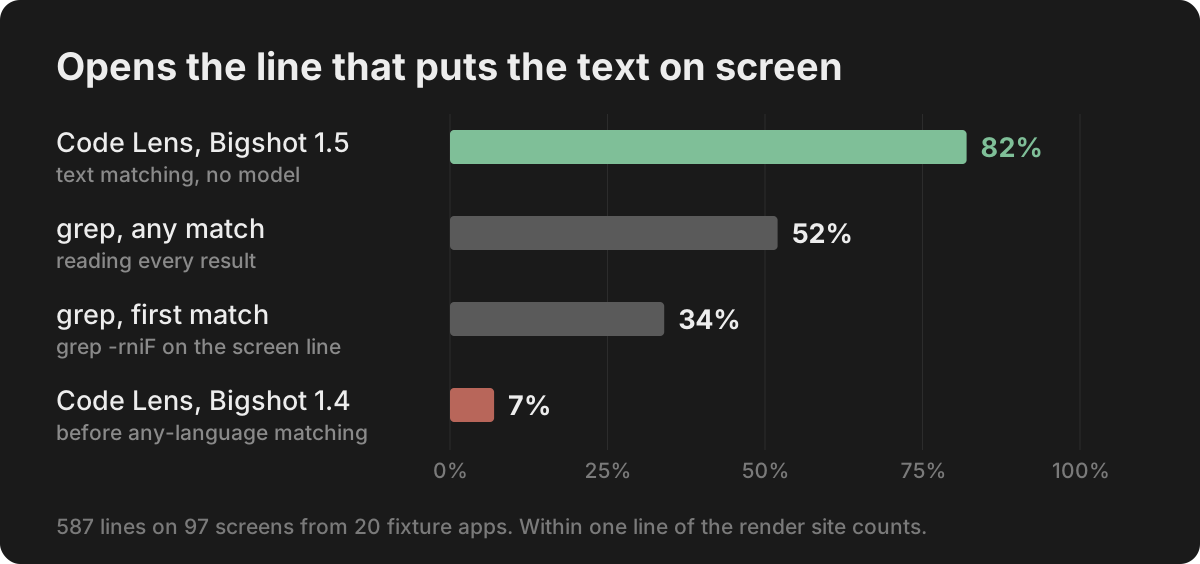
How accurate is Code Lens? Benchmarks on 20 stacks, and EmbeddingGemma 2 on a Mac
Code Lens opens the line that puts on-screen text there for 82% of lines across 20 app stacks, against 34% for grep. What EmbeddingGemma 2 adds, how fast it runs on an M1 Pro, and where it doesn't help.
How to paste a screenshot into Claude Code on a Mac
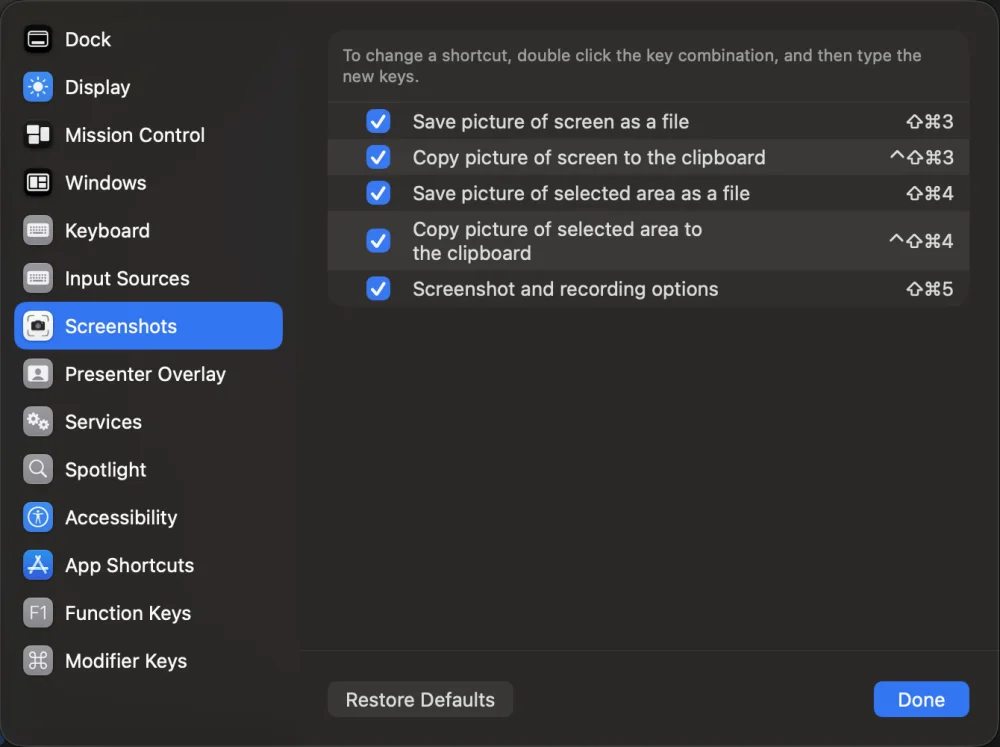
Control-V, not Command-V. The four ways to get a screenshot into Claude Code on macOS, which one to use when, and how to make the image worth reading.
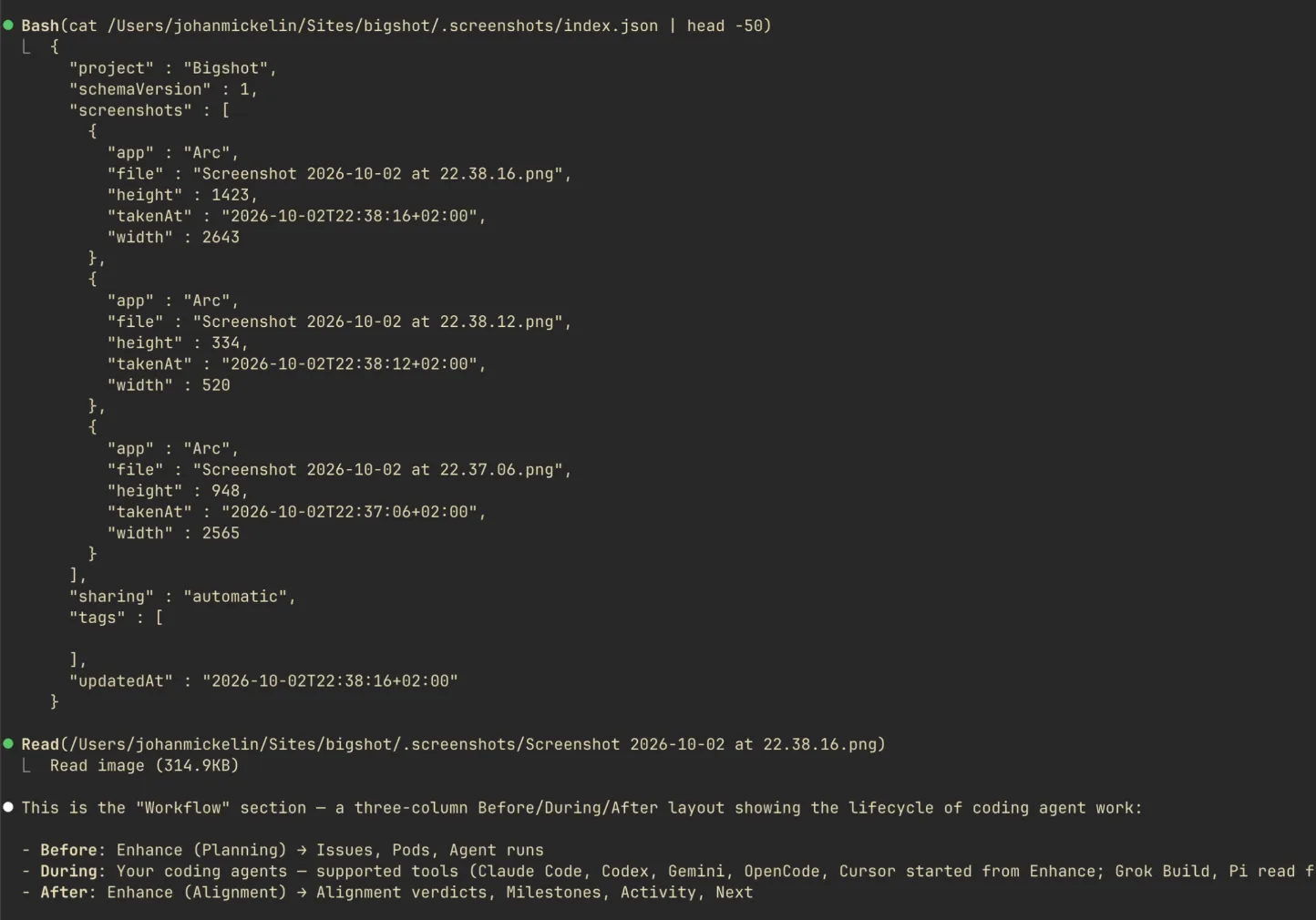
Save screenshots in your repo so Claude Code and Codex can find them
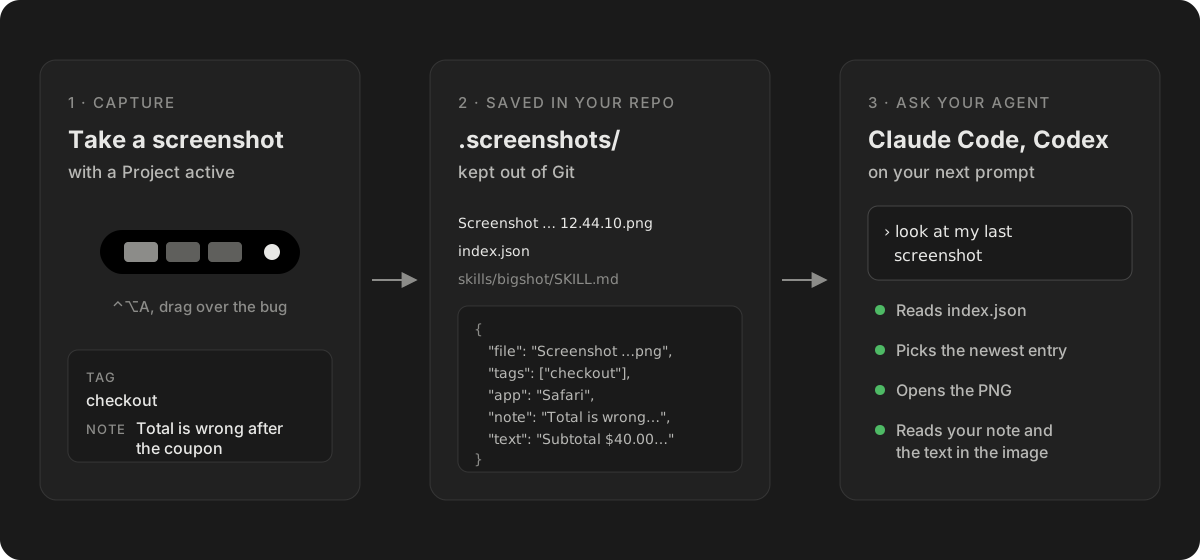
Instead of pasting screenshots into every conversation, keep them in the project with an index the agent reads. How it works, what the index holds, and how to keep it out of Git.
How to give Codex a screenshot: CLI, IDE extension and Mac app
Every way to attach a screenshot in OpenAI's Codex — the --image flag, pasting in the CLI, Shift-drag in the IDE extension and the app, Appshots — and how to let Codex find screenshots in your repo.
Claude Code image paste not working on Mac: what to check
Pasting a screenshot into Claude Code does nothing, or says there is no image on the clipboard. The usual causes on macOS, in the order to check them, and ways around each.
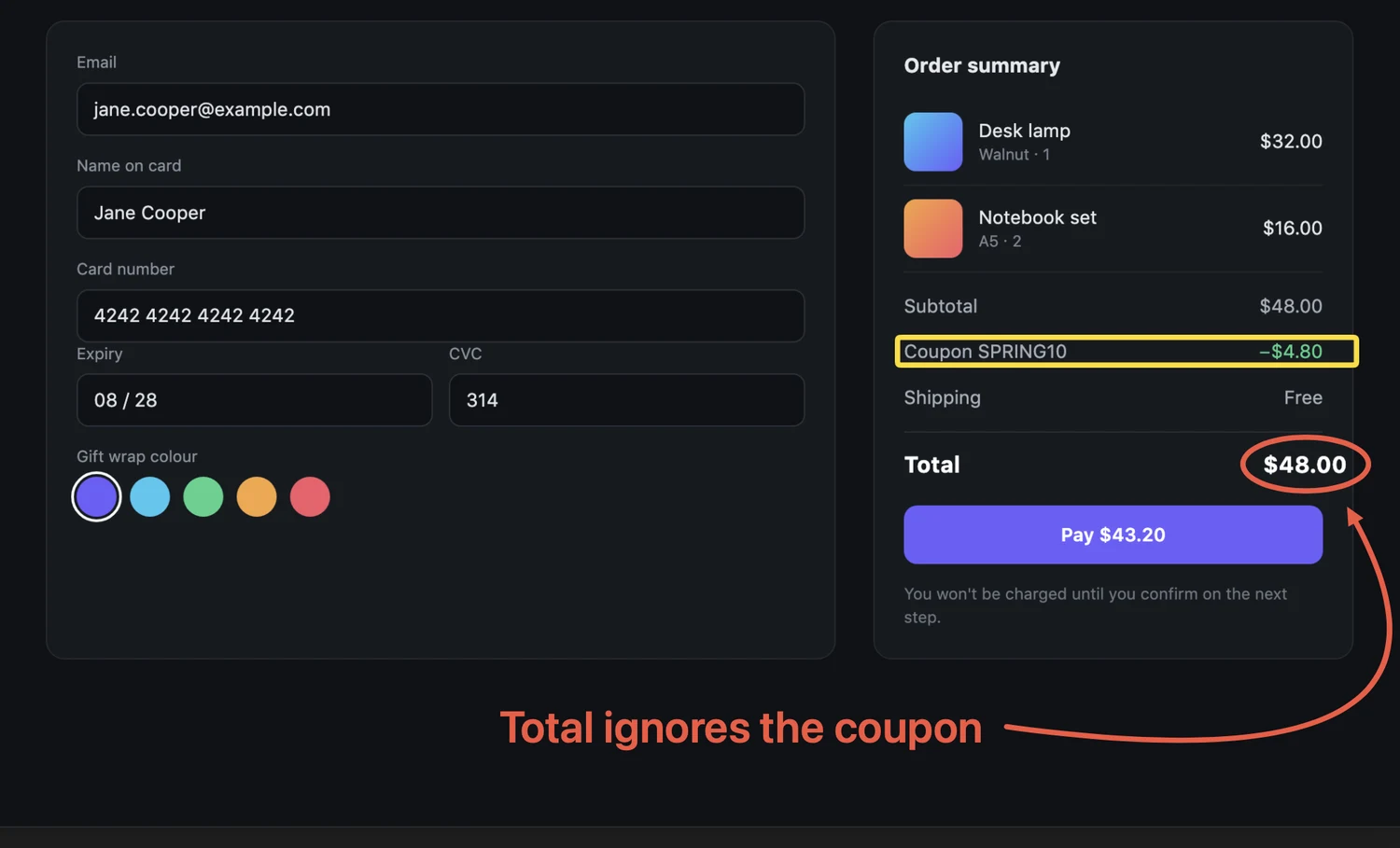
How to annotate a bug screenshot on Mac so your agent fixes the right thing
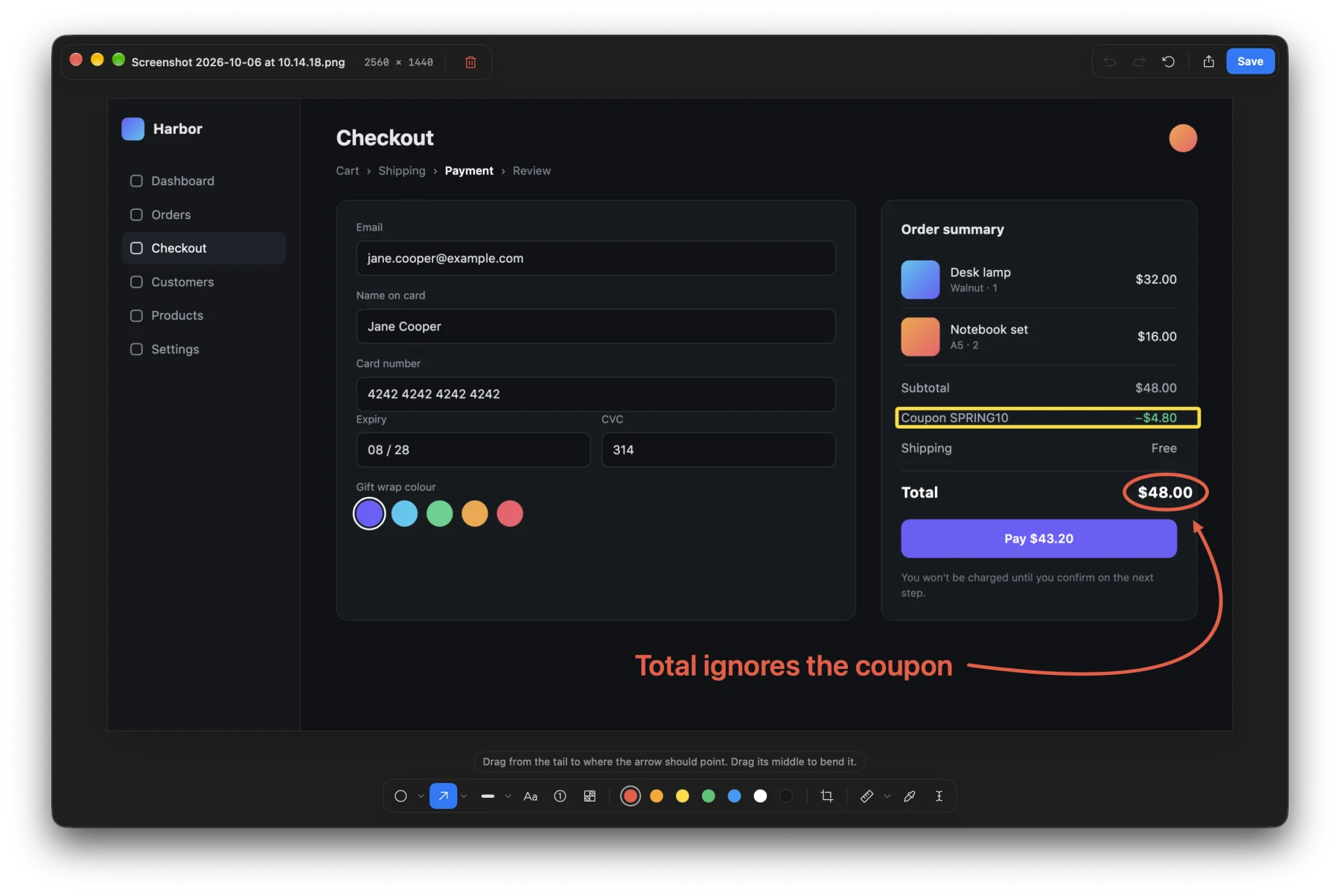
Crop, point, label, measure. How to mark up a screenshot on macOS, with the built-in Markup tools or Bigshot's editor, so Claude Code or Codex fixes the thing you meant.
How big should a screenshot be for Claude? Image tokens explained
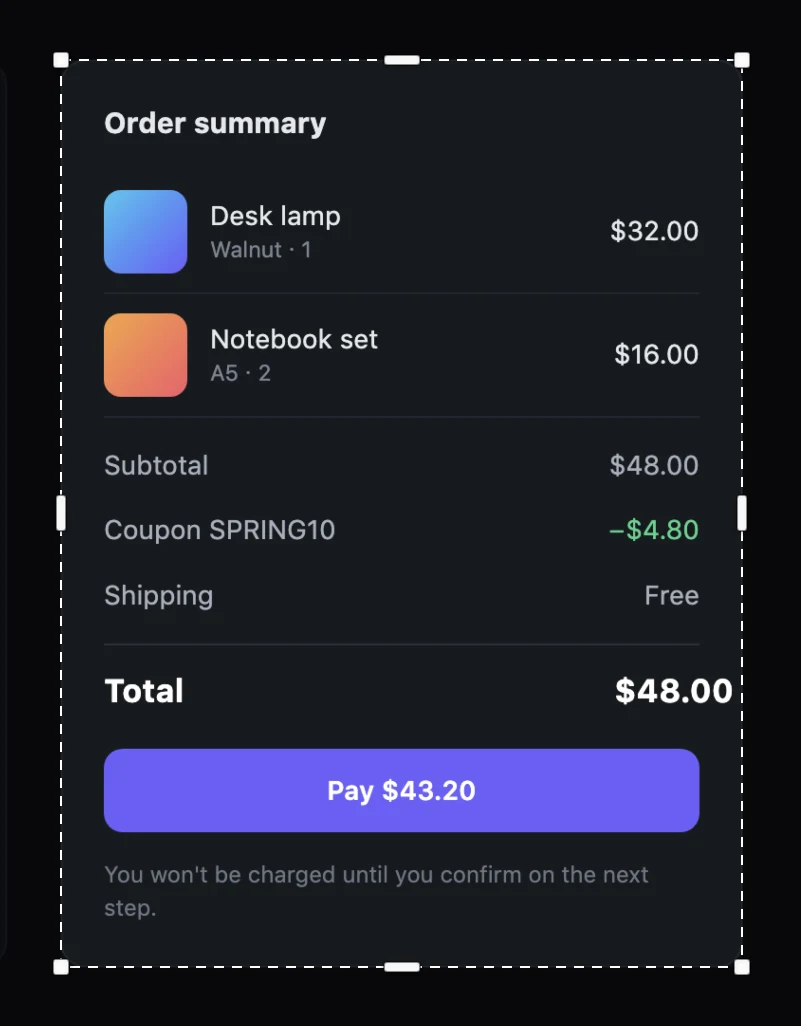
Claude scales large images down before reading them. What a whole Retina screen, one window and a cropped panel cost in tokens, what the model actually sees, and why cropping wins.
How to redact a screenshot on Mac before you send it to an AI agent
What to hide in a screenshot before Claude Code, Codex or ChatGPT reads it, why blur and pixelation are not always enough, and how to redact properly on macOS.
How to screenshot a dropdown menu, tooltip or hover state on Mac
Menus close and hover states vanish when you reach for a screenshot shortcut. Four ways to capture them on macOS, from Shift-Command-4 and Space to a timer.