Inline Agent
Point at something on screen and tell an agent what to do with it. Claude Code or Codex works on it in your Project's repo, on its own branch, while you carry on.
Supported agents
- Claude CodeAnthropic
- CodexOpenAI
- CursorAnysphere
- Gemini CLIGoogle
- opencodeSST
Bigshot runs the agent's command-line tool on your Mac, signed in with your own account. Install it and sign in once in your terminal before your first run.
Run an agent
- Press ⌃⌥B, or click Agent in the island's Expanded View.
- Drag over the part of the screen you mean.
- Write what you want done.
- Pick the agent and click Run Agent (⌘Return).
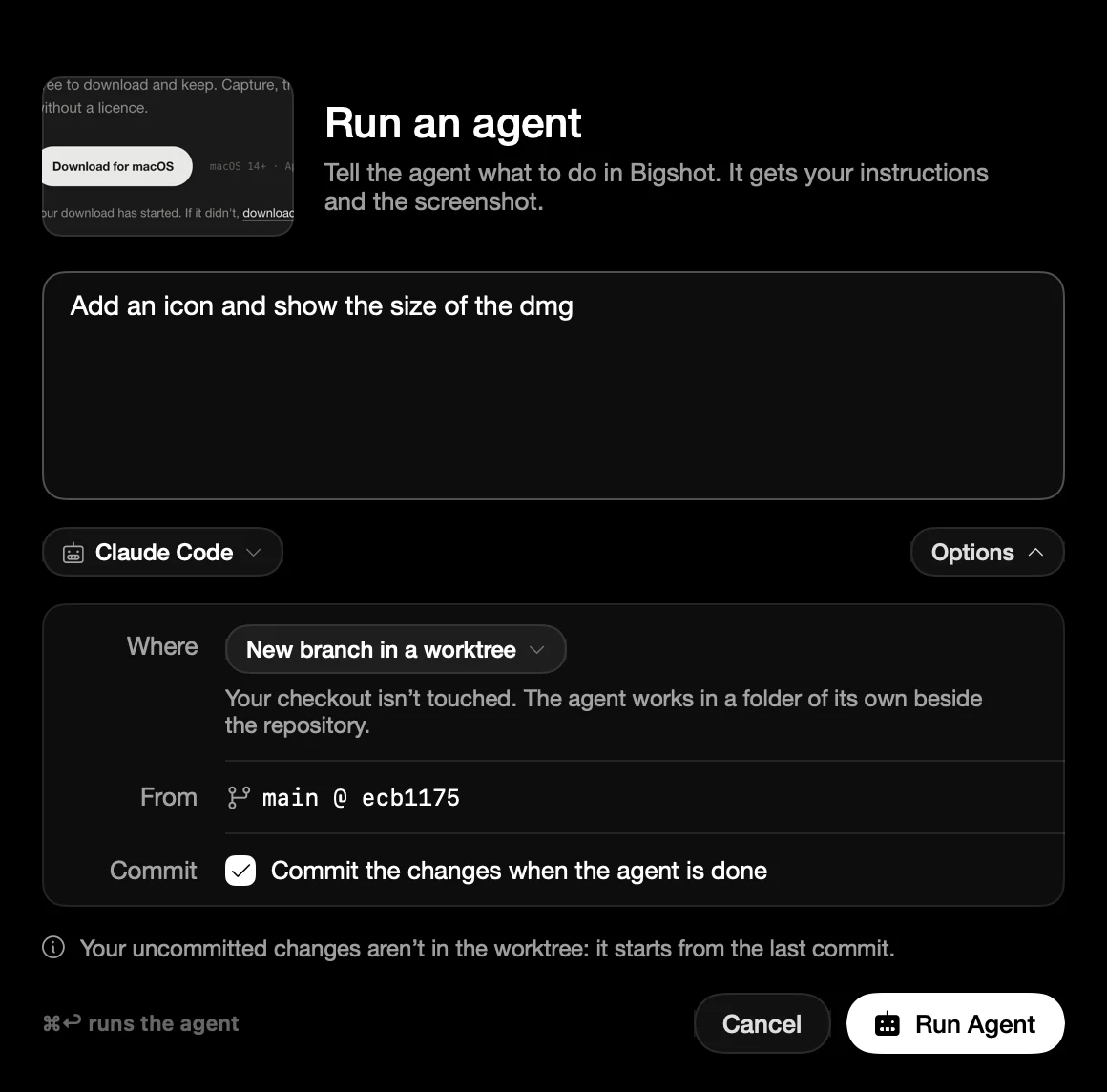
Where it works
Under Options, choose where the agent makes its changes:
- A new branch in a separate worktree (the default). Your checkout is left alone.
- A new branch in your checkout.
- Your checkout's current branch.
If your checkout already has uncommitted changes, Bigshot doesn't commit. The agent's files are left beside yours and listed when the run ends.
Set it up
Open Settings › Projects, choose your Project, and turn on Run agents from screenshots. The Project needs a Git repo.
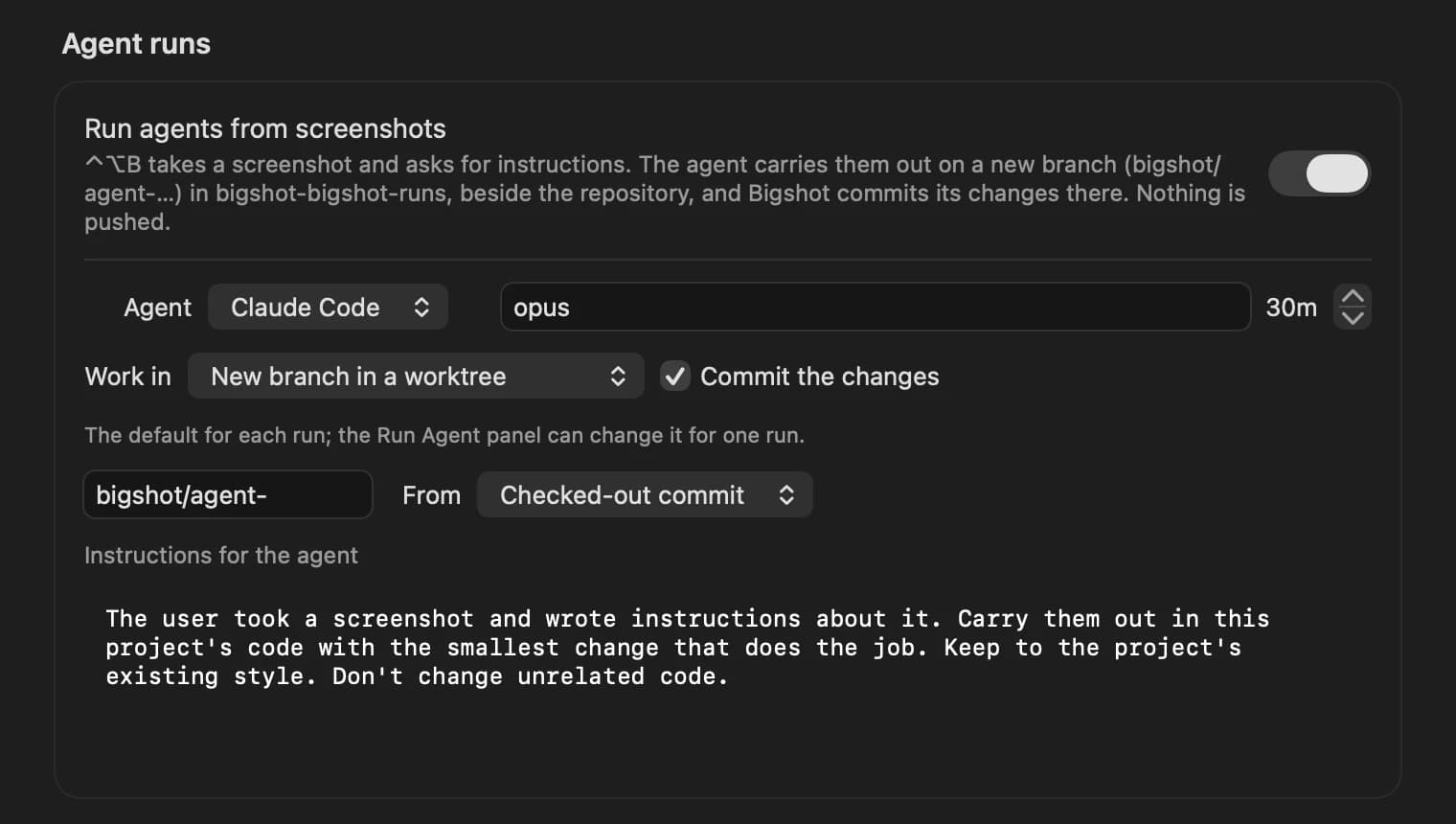
- Agent: which agent takes each run.
- Model: optional. Leave it empty to use the agent's default.
- Time limit: how long a run can take before it is stopped. 30 minutes by default.
- Work in and Commit the changes: the defaults for each run.
- Branch prefix: the start of each branch name,
bigshot/agent-by default. - From: start each branch from the commit you have checked out, or from a branch such as
main. - Instructions for the agent: sent with every run, before your own. Use it for how your project is built: the stack, where things live, and the commands to check a change.
Follow the run
The run's window shows each step as the agent works. When it ends, it shows what the agent did, the files it changed, and the branch.
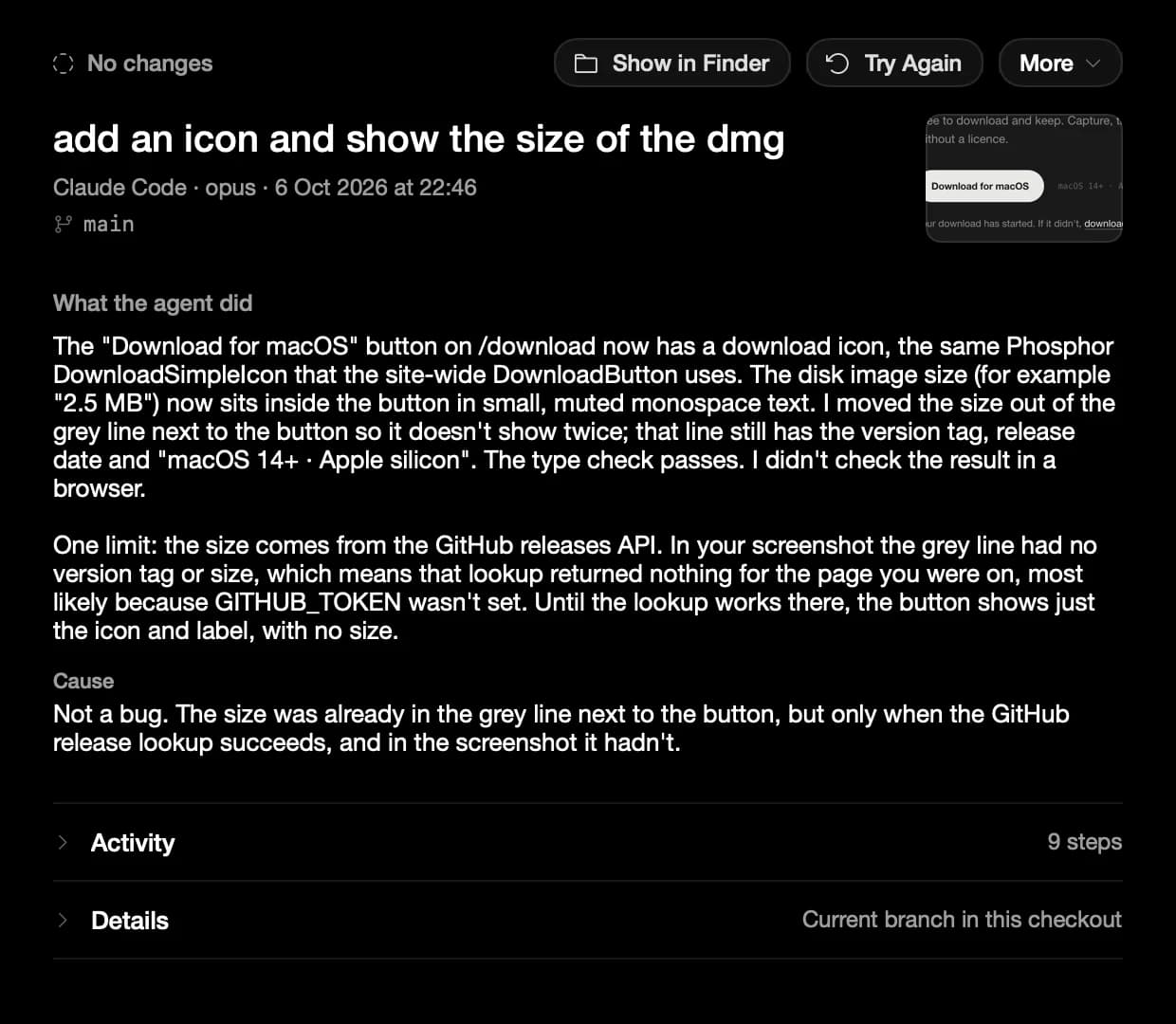
When Claude Code asks to run a command or edit a file, Bigshot asks you: in the run's window if it is open, or in a card in the corner of the screen.
Agent Runs… in the menu bar lists every run with its screenshot, instructions and log. Each one shows the command to resume its session in your terminal.
Needs: a licence, a Project with a Git repo, and Claude Code or Codex installed. Projects