Make a moodboard while you browse, then have Claude Code build from it
When you prototype a page, the references are spread across the web: a hero on one site, a line drawing on another, a row of cards somewhere else. Describing them to a coding agent takes longer than showing them.
In Bigshot you collect them as you browse, under one tag, and the agent reads them from your project. The video below is one real run: ten captures, one prompt, and the homepage of our Acme demo app restyled.
Start a tag
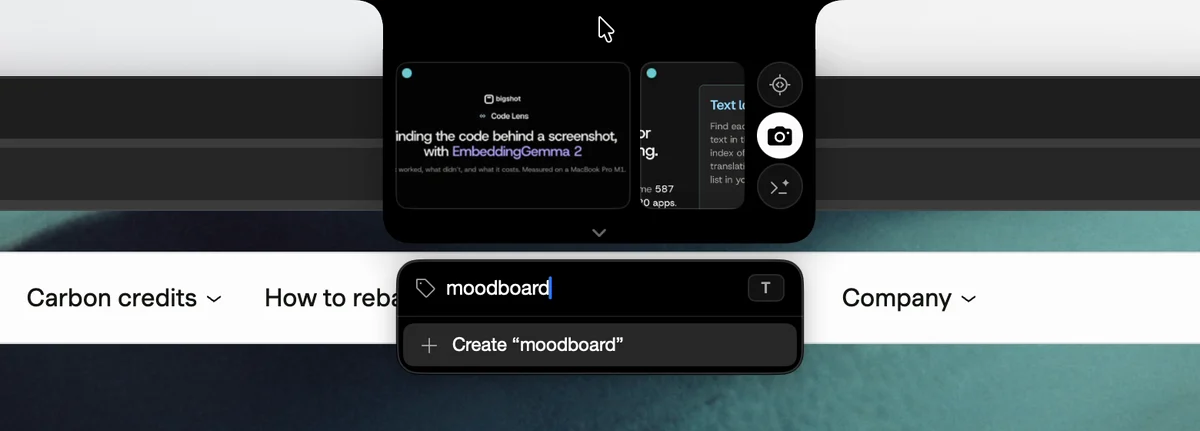
With a Project active, open the tag pill under the island, type a name and create it. Every capture after that carries the tag until you change it. Here the Project is the Acme repository and the tag is moodboard.
Capture the parts you like
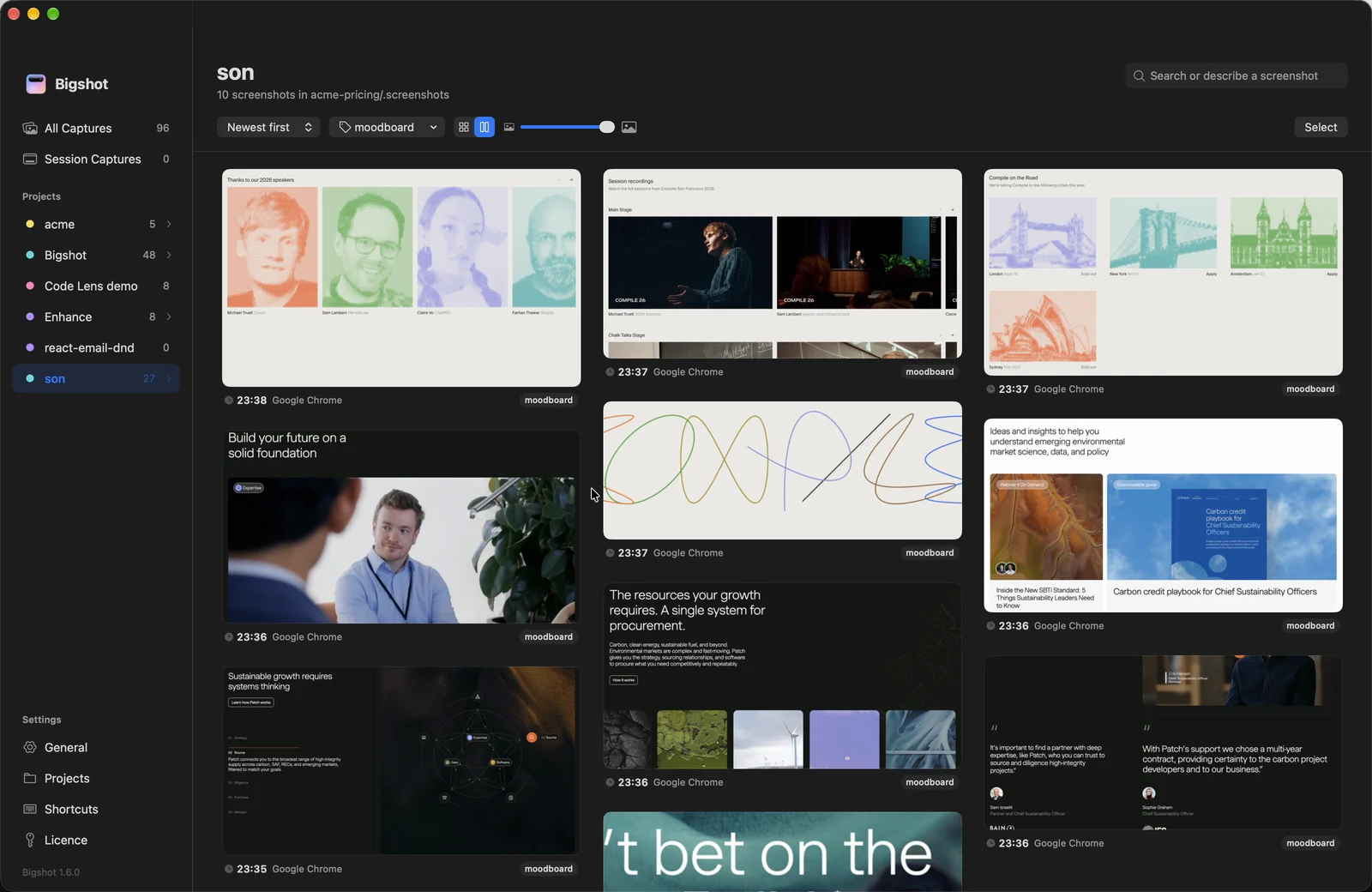
Drag out only the part you want, not the whole page. The agent then sees the reference without everything around it. The run in the video took six captures from patch.io, among them its hero, a systems diagram, a customer quote and a row of article cards, and four from cursor.com/compile, among them a line drawing, city cards and speaker portraits.
If a capture needs explaining, right-click it and add a note in Screenshot Context…, such as "the type scale, not the colours". The agent reads notes with the images. This run used none.
See the board
The Library shows the tag as a board. Pick the Project, then the tag, and switch to the masonry view to see every capture at its own shape.
Ask your agent
The prompt, typed into Claude Code in the Acme repository:
Restyle the Acme homepage like the screenshots tagged moodboard.Claude Code read .screenshots/index.json, which lists every capture with its tags, then opened the ten images tagged moodboard, then the homepage's code. Nothing was pasted into the conversation. The files were already in the project, and the index said which ones carried the tag.

How the index works, and how to keep the folder out of Git, is in Save screenshots in your repo.
The result
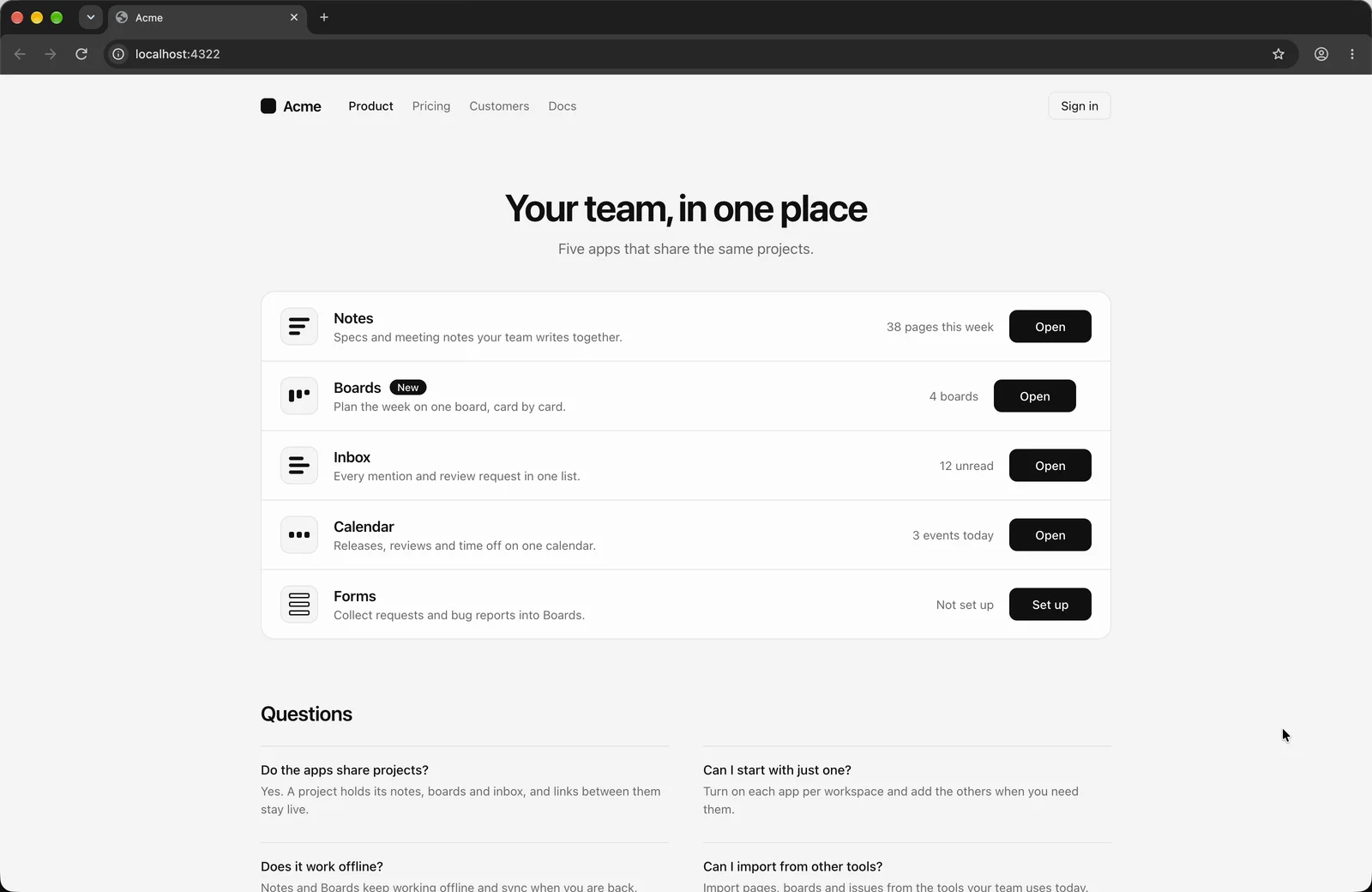
The homepage before:
And after one run, about five minutes, with no follow-up prompts:
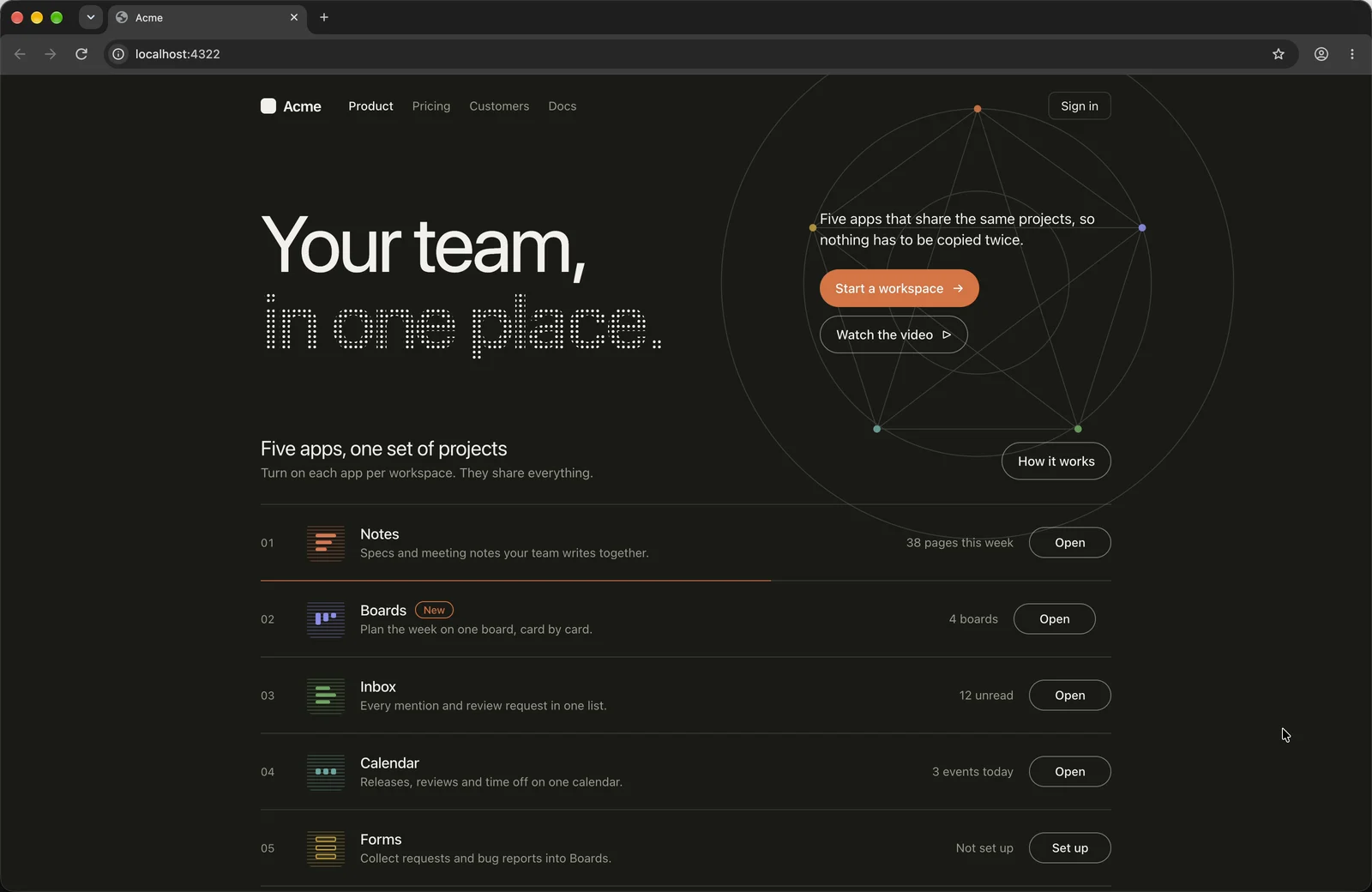
The page went dark, the title got a second line in dotted type, two buttons were added beside it, the app rows were numbered, and a thin orbit drawing went behind the hero. Claude Code's comment on that drawing reads "like the systems figure on the moodboard". It ran on a branch, and the result is shown as it came out.
It is a first pass, not a finished design. From here you keep prompting, or capture more references under the same tag and ask again.
Setting it up
Moodboards need a Project, which needs a licence. Add the repository in Settings › Projects, and Bigshot sets up .screenshots/ and the lines in CLAUDE.md or AGENTS.md that point the agent at it. The same works in Codex.
- Moodboards: the workflow and example prompts
- Tags: adding, removing and archiving them
- Projects and screenshot context: what the agent reads
More from the blog
How accurate is Code Lens? Benchmarks on 20 stacks, and EmbeddingGemma 2 on a Mac
Code Lens opens the line that puts on-screen text there for 82% of lines across 20 app stacks, against 34% for grep. What EmbeddingGemma 2 adds, how fast it runs on an M1 Pro, and where it doesn't help.
How to paste a screenshot into Claude Code on a Mac
Control-V, not Command-V. The four ways to get a screenshot into Claude Code on macOS, which one to use when, and how to make the image worth reading.
Save screenshots in your repo so Claude Code and Codex can find them
Instead of pasting screenshots into every conversation, keep them in the project with an index the agent reads. How it works, what the index holds, and how to keep it out of Git.